Monday, November 28, 2016

Hour of Code

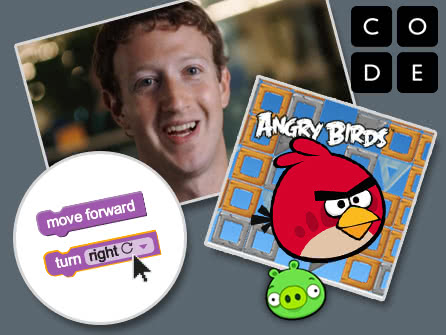
Hour of Code is a worldwide event that encourages kids and adults to try their hand at computer programming through fun and easy tutorials. We strive to reach every student at GRIS during Hour of Code hoping to spark interest in Computer Science. Hour of Code is celebrated during the week of December 5-9th. We will be doing Hour of Code activities in the library and classrooms during the next three weeks. I encourage families to try some of the Hour of Code activities at home.


Try some of these activities. More activities can be found at https://code.org/learn
Scratch Music
Star Wars
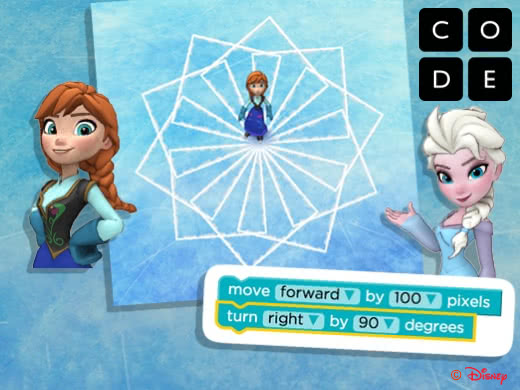
Frozen

Angry Birds
Code Combat
Minecraft

Monday, November 21, 2016

MyOn eBooks from Capstone

Many people do not know about the great resources of ebooks that we have on our campus. There are 2 different places that students can go to for some great ebooks.

MyOn e-readers - This collection of ebooks is part of our Compass Learning subscription. MyOn is part of Capstone Publishing Group, and they have an extensive collection of high-interest ebooks.
  • To access the MyOn e-readers, you must first login to Compass Learning. (You will need to change school to Glen Rose. It defaults to Odyssey.) 
  • Username is grlunch# and password is lunch#. 
  • If you are using an iPad, you will want to download the Puffin Academy app. This app allows sites that are built using Adobe Flash to play on an iPad. Usually, iPads and Flash do not work well together.
  • e-Readers can be found inside of the Reading Path in Compass Learning. After choosing Reading, look for the e-reader icon in the bottom left corner of the screen.
  • Narrow the books by AR level - Choose library at the top of the screen, Then choose either Browse or Search. Click the funnel in the top left corner. Choose ATOS and select a grade level. Then click the magnifying glass to search only books in that level.
  • Add books to a reading list - Click on the cover of a book for more detailed information. Click information to see AR level, points, pages, etc. Click the red button with the heart to save the book to your reading list.
Follett Shelf - this is our campus' collection of ebooks. Many of the Bluebonnet nominees and also some of the more popular series can be found on this shelf.

  • Sign in with your username (first inital and last name ex: sstatler) and password (lunch number) 
  • Destiny Discover is an app that you can download on your devices at home.

Let me know what you think of these resources. I hope this provides more options for getting your kids excited about reading. I'm here to help you if you need anything.


Wednesday, November 9, 2016

National Young Readers Week

It is National Young Readers Week!

To celebrate, Mrs. Mapes will be camped out with a book all day today. The students will have to follow a trail to find her and have her read to them. Tomorrow, Mrs. Teaff will be on the playground reading to students at recess. All teachers have been challenged to read aloud to their classes this week. I challenge parents to also join us and read aloud to your kids this week. You are never to old to enjoy a good book.

Pizza hut is giving away 2 free ebooks and 1 free audiobook this week. Claim your copies now.

Wednesday, September 7, 2016

AR Tiger Teams

Let's team up and have a little reading competition! Each six weeks, the teams with the most points, highest percent correct, and most students making their goal will be honored in the library. Teams will consist of randomly placed 3rd, 4th, and 5th graders across all classes. Come to the library this week to spin the wheel and see which team you will join.

Monday, August 29, 2016

Welcome Back!

Well, we got the first week of school under our belts, and I have to say that it went pretty smoothly. Welcome back to school! I hope you had a restful summer and are ready to work hard and learn a lot this year.

Discovery Den

Our library has undergone some changes this summer to make room for the Discovery Den, a MakerSpace. The Discovery Den is a place where the students can come in and be creative. It is a work-in-progress, but the overall goal of the space is to have different activities set out at each table that allows the students to build and create and use their imaginations. Some of the activities I am planning for the year are Minecraft, Scratch Coding, arts/crafts activities, engineering challenges, and Lego building challenges. This is just the tip of the iceberg and it will evolve as we figure out what we want more or less of.
At this time, classes will be scheduling a time to visit the Discovery Den once a week during intervention time. Every student may or may not get to visit the Discovery Den every week, but it is our goal to have every student get a chance to come as often as possible. 
Donations for supplies are accepted and greatly appreciated.


Library Time

In addition to Discovery Den time, Language Arts classes are scheduled to come in each week to check out books, have a lesson on library skills, or technology skills. All students are allowed to check out 2 books at a time. The teachers and I encourage students to find books that are "just right" for them. We will be talking to the students throughout the school year about finding a book that is the right level and interests them. This is a very important piece of the reading comprehension puzzle.

Accelerated Reader

After a student finishes reading a book, they will use the Accelerated Reader program to take a quiz on the book. This is usually a 5, 10, or 20 question quiz (depending on the length of the book), and it asks questions about the story to check for basic understanding. Accelerated Reader awards points for each book (depending on the length of the book). Each child will have 2 goals for each six weeks: 
  • a point goal - This goal is based on the student's independent reading level and is unique to each student.
  • average percent correct - Students should maintain a quiz average of 85% or higher. This means that a students should score an 80, 90, or 100 on most of the quizzes they take. 

I hope that you have a great school year. Please let me know if you have any questions or if I can help you in anyway. I am in the business of growing readers and want to help your child find their love of reading.


Monday, August 8, 2016

Wednesday, May 11, 2016

Summer Reading Opportunities

My last post was all about preventing the summer slide by encouraging reading throughout the summer. The kids were a little upset with me when I suggested that they need to keep reading every day this summer, but I assured them that this reading is strictly for fun. Anything goes!

Here are some ideas for encouraging summer reading:
  • Scholastic Summer Reading ChallengeRead 20 minutes a day, even in the summer! Join our school as we take on the Scholastic Summer Reading Challenge. Scholastic is challenging students all over the world to continue reading throughout the summer. Log in and log your reading minutes each day, and check out our school’s progress on the map. There will be prizes.
  • Book Adventure - Show what you know by taking a quiz over the books you read. Just like AR,  Book Adventure awards points for reading books. Parents can create special awards for point levels. 
  • ebooks - Don’t forget about our library’s ebook collection. The library is closed for the summer, but the ebooks are still available. Use your school username and lunch number to login and download books.
  • Epic Books - Like Netflix for books. Sign up for an account with the first month free. Read unlimited books each month. 
  • 10 Weeks of Summer Reading Adventures - lists of activities to do with books all summer long 
  • Character Trading Cards - Make a trading card for characters in the books you read 
  • Newsela - news articles, reading levels can be adjusted, Spanish translation, quizzes after reading 
  • Storyline Online - watch videos of celebrities reading favorite books 
  • Tales2Go - ebooks for your mobile device. Try it for free on your tablet, laptop, or PC 
  • Pizza Hut BookIt! Read and Do Activities - lists of books and activities to do with each of them in areas such as art, birds, camping, dragons, etc. 
And don't forget to visit the public library to get your own library card. While you're there check out some cool summer programs.
Special Guest Performances by:
  • Reah Easley (Old Timer Raccoon), 
  • Kornpop the Clown, 
  • Nancy Worcester the ventriloquist, and 
  • a magic show
  • June 7th, 14th, 21st, and 27th at 10:30 am

Thursday, May 5, 2016

Scholastic Summer Reading Challenge

Summer Slide - the loss of academic skills over summer break

Students can lose up to 3 months of learning during the summer if they don't continue to practice the skills they learned in school. Studies show that 20-30 minutes of reading each day will help students retain their reading skills from the previous year.

Teachers and parents, we can prevent summer slide. This summer our school is participating in the Scholastic Summer Reading Challenge, a free online reading program that invites children to log their reading minutes all summer.
http://www.scholastic.com/summer
The goal is for the students in our school to read the most minutes possible in an effort to win “Best in State” recognition and a mention in the Scholastic Book of World Records. With your help, we can do it. Students are challenged to read 20 minutes a day and log their minutes on the Scholastic website. The challenge runs May 9th-September 9th. Ask your teacher for a username and password if you are interested in participating. Try not to lose your username and password. You will need it all summer. 

I will be checking the site periodically to see how our summer reading stacks up against other schools in the nation. I will share the results throughout the summer on this blog, on Facebook, and Instagram. 

Stay tuned for more summer reading suggestions.

Follow us on Facebook - GRIS Library
Follow us on Instagram - @grislibrary

Thursday, April 21, 2016

App Smashing with Weather

Weather Underground or WeatherBug are great tools for teaching your students to look at the current weather conditions and the forecast for the next few days. Take the learning one step further by having the kids screenshot the weather forecast and drop it into another app to show what they have learned. Here are a few ideas for you.

Annotate

Popplet - make a concept map showing all of the data that can be collected from the weather app.
PicCollage - drop a screenshot or two into PicCollage and add text to show what you know.
Doodle Buddy - Insert a screenshot as a background and draw and type over the image


Track Changes

Timeline - Capture screenshots of the weather over a period of time and add them to a timeline.

Voice Over

Screen Chomp - Add a screenshot, click record, and record your voice and your drawings to show your learning
Tellagami - Add a screenshot as a background and record your voice to make the gami give a weather report
PixnTell - Add a series of images, record your voice as you swipe through images to create a video.

Tuesday, March 15, 2016

New eBooks

We just added some new eBooks to the library. Go to Follett Shelf to check them out. Log in with your username and lunch number. For more information on checking out ebooks, read the earlier post, I have ebooks, and I'm not afraid to use them.

We have 15 ebooks of the 20 Bluebonnet picks for 2016-2017. Get a head start on your reading so you can vote next school year. Read 5, and then decide.

Tuesday, March 1, 2016

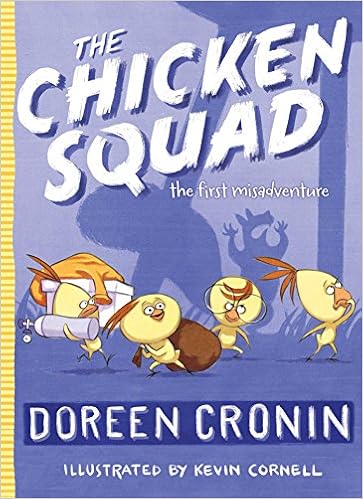
The Chicken Squad: the first misadventure

From the author of Click, Clack, Moo: Cows That Type, comes a new chapter book series about four chickens that go looking for trouble and find it. Meet Dirt, Sugar, Poppy, and Sweetie, and the retired search-and-rescue dog, J.J., as they uncover the mystery of the shiny green circle that caused the squirrel to run into the chicken coop and faint. Preview the book
The Chicken Squad: the first misadventure by Doreen Cronin (AR level: 3.3/points: 0.5)


Tuesday, February 23, 2016

Flippity

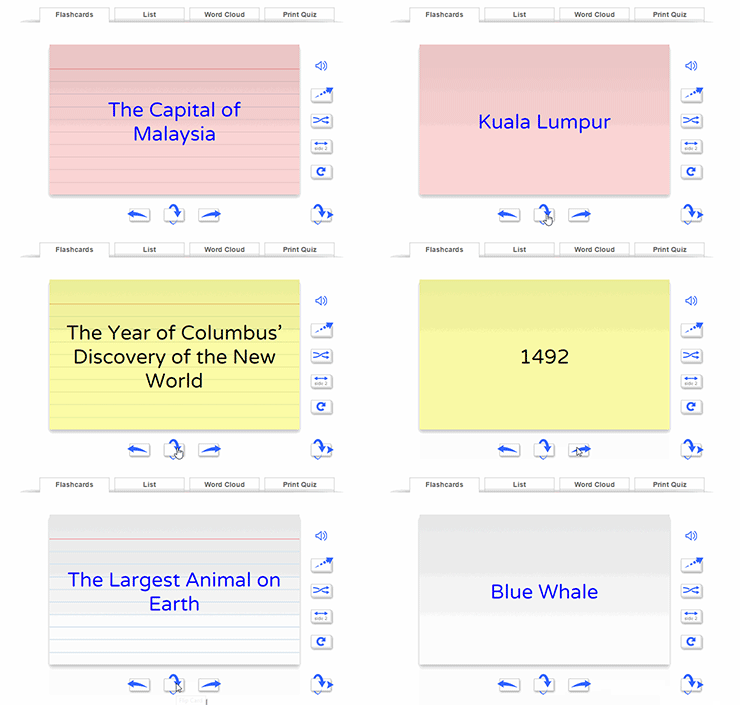
There are a lot of ideas for flashcards on the Internet, but this one appears to be very quick and easy. Flippity.net takes a Google spreadsheet and turns it into flashcards, a quiz game, a progress tracker, or a certificate of completion.
Click the link for Instructions & Templates to see how easy it is to create your own flashcards.

Monday, February 22, 2016

2016-2017 Bluebonnet List & Resources

The Texas Library Association has released the resources to go along with all of the books on the  current Bluebonnet list. These include reader's theater, links to video interviews of the authors and illustrators, activities, discussion questions, and websites to go with each book.
2016-2017 TBA Master List Resources

Tuesday, February 16, 2016

BINGO!!!

Let's play Library BINGO! Students are encouraged to read different genres and areas of the library to get 4 or 5 in a row on their BINGO sheet. There will be a fun play day at the park in May for anyone that gets a blackout. Quizzes are valid during the 5th and 6th Six Weeks only (Feb 16-May 13).


Rules for each grade level vary. Please see the Library BINGO sheet and rules for clarification.

Classroom BINGO - A special challenge from Mrs. Mapes! Are you up to it? 
Classes keep track of books read aloud by the teacher. Special class prize at the end of the school year. Remember that books logged on the classroom BINGO chart cannot be logged on the individual student charts.

Wednesday, February 3, 2016

Tools You Can Use Tomorrow


Leslie Fisher is always entertaining. She is one of the must-see presenters every year at TCEA, with her "let me see how much information I can pack into an hour" attitude. I always walk away with a lot of great ideas. This year was no different. The line going into her session wrapped around the corner, and a few hundred people were turned away. We got in!!!
Here is a list of amazing tools that I think you can use tomorrow.
Tools you can use tomorrow


Tuesday, February 2, 2016

Bluebonnet Voting

Glen Rose Intermediate students recently participated in the Texas Bluebonnet Award Voting. Each year, the Texas Library Association announces the Bluebonnet Reading list, which consists of twenty books chosen by a panel of Texas librarians. Students in grades 3-6 are challenged to “Read 5, Then Decide”. Students that read five of the books from the Bluebonnet Reading List are invited to vote for their favorite book.
On Thursday, 82 third, fourth, and fifth graders met in the Intermediate library for snacks and a preview of the 2016-2017 list. The students at Glen Rose Intermediate voted and chose their winner. The favorite among the students was The Misadventures of Salem Hyde: Spelling Trouble, a graphic novel by Frank Cammuso, with 14 votes. A close second, with 13 votes, was Quinny & Hopper by Adriana Brad Schanen.
The Texas Library Association will tally results from across the state and should announce the Bluebonnet Award winner in early February.
Students can get a jumpstart on next year’s list. Many of the titles are already in the library or will be at the book fair in February.
http://www.txla.org/TBA


TCEA Convention


This week several teachers from Glen Rose Intermediate will be attending the TCEA Convention in Austin to learn more about using technology in the classroom. Follow #TCEA16 on Twitter to see what's going on down here in Austin. There are a lot of great resources being shared.
I have a schedule full of coding, robotics, and 3D printing, as well as a librarians' academy.