Thursday, December 3, 2015

Create a Book Wish List

Your reading teachers have been very busy learning all about Accelerated Reader. I want to share one thing that kids and parents might like: creating a book wish list.
Our presenters shared 2 great resources for finding books on a specific grade level, and I want to share these resources with you. I think you will find these to be very helpful in creating a list of books that you are interested in and that are on your reading level.

  • What Kids Are Reading - Do you want to know what is popular with other kids your age? This website will show you which books are most read and tested on in AR. You can even filter the results by grade level, gender, reading level, state, type of book, and keyword. 
    • Click Create Lists of Popular Books
    • Choose grade and click Add Filter
    • To add more filters, click the plus sign in the white bar at the top next to Your Filters
    • Save/Print results will give you a pdf of the top 25 books matching your search
  • ARBookFind - Quickly search to see if a book has an AR test, reading level, how many points, or do an Advanced Search to find books of interest. Search by reading level, points, topics
    • Click the Advanced Search tab
    • Skip down to ATOS level and put in the reading range of books that you are comfortable reading
    • Addtional Criteria - choose a topic and a subtopic to narrow down your genre
    • Choose Fiction/Nonfiction and the language
    • Sort by author, title, book level, or rating
    • Go
    • Print to create a pdf of the list
  • GRIS Online Catalog - Look for books in our library that are on your reading level
    • Click the Search tab and go to Study Programs
    • Put your reading range in Minimum and Maximum Reading level boxes
    • Decide how many points you would like the book to be worth (remember that for each point, the book should take 2 days to read)
    • Keyword: type a topic that you would like to read about
    • Search

Wednesday, December 2, 2015

The Hour of Code is Here!!!


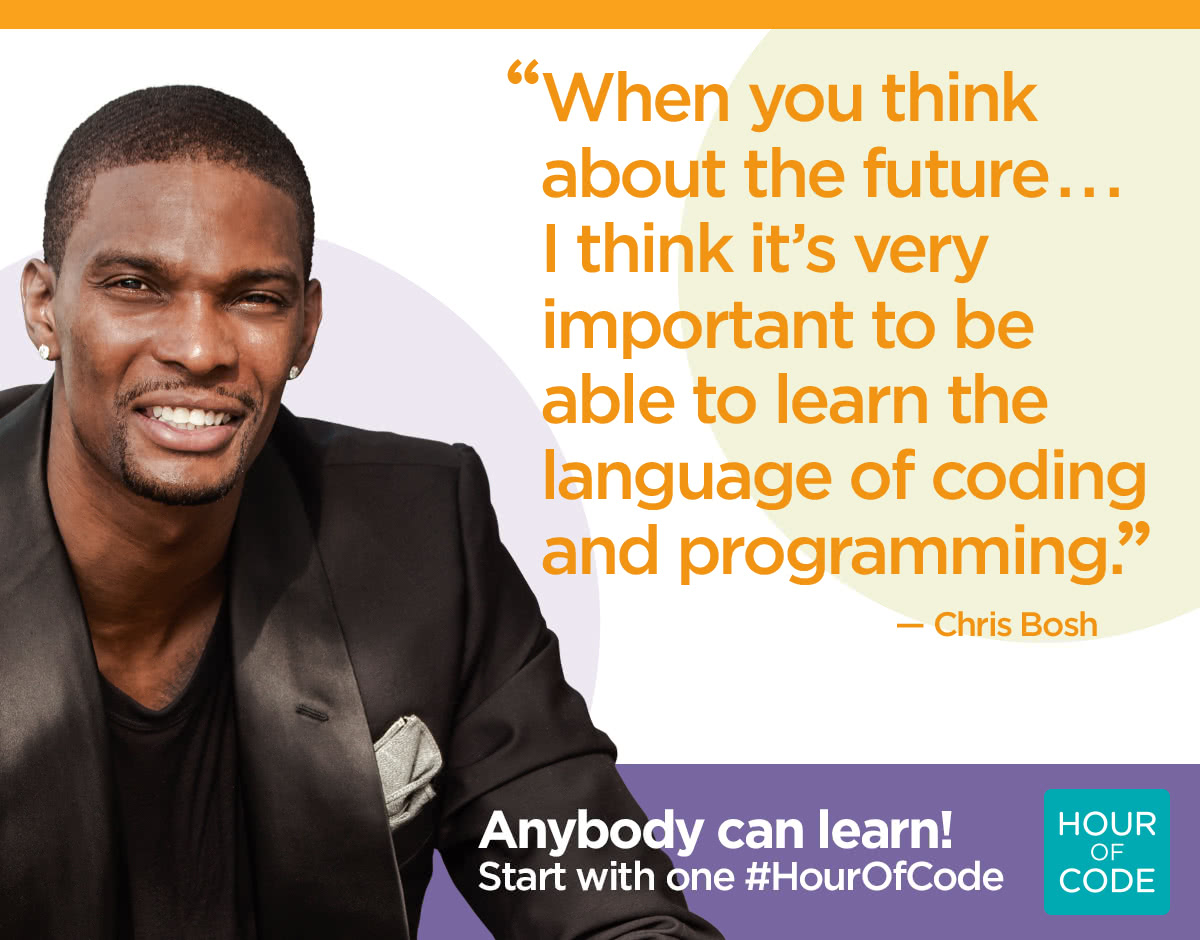
Next week is Computer Science Education week (Dec. 7-13). We are celebrating by participating in the Hour of Code event. During the next few weeks, every student will spend at least one hour learning basic programming skills in the form of games like Minecraft, Star Wars, Frozen, Flappy Bird, and Angry Birds. Code.org teaches coding with a simplified language called Blockly. Basically, students just drag and drop blocks of code to make the computer do a specific task. Some of the lessons even teach basic Java Script.

The kids love this, and they can do it from anywhere with any device. Try it out at home. I think the whole family will love it.

There are many other free options for learning to code. Check out some of these apps and sites.

Monday, November 30, 2015

CyberMonday Deals on Kindle Books

It's CyberMonday, and you know that means that there are tons of great online sales today. Amazon has some great deals on Kindle eBooks. Many of their books are 80% off today. That means you can snag some great books for just a couple of dollars each.
You do not need to own a Kindle to take advantage of these deals. You just need an Amazon account and a computer or a device with the Kindle App.

Thursday, October 8, 2015

I have ebooks, and I'm not afraid to use them

Updated info on library ebooks!

We officially have ebooks to check out and download! This is exciting! We have 101 ebooks to choose from, including all of the Bluebonnet book selections for the current year, I Survived, Diary of a Wimpy Kid, and many nonfiction selections.
If you have a device at home, all you need to do is download the Destiny Discover app from the App Store and log in.

After downloading, you will be asked to provide the state and name of the school.
The login information is:
Username: first initial and last name
Password: lunch number
Your child will know this login. It is the same as their login for AR.


Happy Reading!!!

Monday, September 28, 2015

Accelerated Reader - Weekly Diagnostic Report

Accelerated Reader has quite a few helpful reports for checking on the status of your class. One of my favorites is the Diagnostic Report.
You can find this report under:

  • Accelerated Reader
  • Reports
  • Reading Practice
  • Diagnostic - Reading Practice
    • Reporting Period - Change Predefined Date Range to the current Six Weeks
    • Click View Report


In the sample report, you see that there are 5 points that you should look at for all students.
  1. RP quizzes - tells how many quizzes a student has taken in the current marking period. You can quickly see which students have not taken a test.
  2. % Correct - Scan the list for students that have lower than an 85% Average. These students need to conference to determine if the books they are reading are too hard or if there is another reason why they are not passing tests. You might need to sit with these students through 1 or 2 tests and help them with the test taking procedures.
  3. Points - If you have set point goals for your students, you will see the percentage of their personal goal that each student has met. How to set a Goal in ARAR Goal Calculator, & AR Goal Setting Chart, AR Goal Setting Chart AR 2000 (appears to be more lexile friendly)
  4. Book Level - You can also set book level goals for each student. Here you will see the average book level that they have been reading. You can check to make sure they are reading in their ZPD range.
  5. Diagnostic Codes - These codes will help you identify areas of weakness and conferencing topics for struggling students. A key will print on the second page of the report. Here you will also find the % of students at-risk for this class. At-risk means that a student has one or more diagnostic codes for the report period. The goal for the teacher is to have as few students with Diagnostic Codes as possible. For now, our goal is 15% or less. 


Monday, September 21, 2015

The Lemonade War

Hop over to our One School, One Book blog and join in on the fun. Our fall family book selection is The Lemonade War by Jacqueline Davies. I think your entire family will enjoy this one.


Wednesday, September 16, 2015

Divide and conquer

In our library lessons we have been learning about tackling a chapter book. Some of the kids have said that the book they checked out is too long and they can't read it. We talked about a few key tips when choosing an appropriate book.
  • Look at the cover
  • Read the blurb
  • Flip through some pages and make sure it doesn't look too intimidating or too easy
  • Read a page and use the 5 finger rule to make sure it is just right.
You can get some information about the level of the book and how long it should take to read the book by looking at the AR label on the spine.
RL stands for reading level. It is an approximation of a grade level that the book would be appropriate for if the student is reading on grade level. 4.2 means 4th grade, 2nd month. It is pretty accurate, but not perfect. The student still needs to open the book and give it the 5-finger test to make sure it is a just right book.
PTS stands for points. This is the number of points the book is worth after taking an AR test. The points can also tell us how long it should take to read the book. A good rule of thumb is to double the points to determine the number of days you should read a book. This 8 point book should take no more than 16 days to read.


Divide and Conquer is a strategy meant to break a long chapter book into smaller, more manageable pieces. To find the number of pages you should read every day, use the following formula:

Total pages in book / number of days to read the book (points doubled) = pages per day

For this example, the book has 289 pages and it should take 16 days to read.

289 / 16 = 18 pages per day

Then we break the book into 18 page sections and mark them with sticky notes. Sometimes the 18th page will fall in the middle of a chapter. You may have to go forward or backward a few pages to find the beginning of a chapter or you may be able to find a natural break in the middle of a chapter (extra space between two paragraphs, or a dividing line or symbol between two paragraphs). Do this until you reach the end of the book and you have divided your book into daily reading assignments. Now you can conquer the reading.


Monday, September 7, 2015

AR Goal


At the end of each six weeks, anyone that makes their AR goal will be allowed to come to the library and shoot two free throws. Let's have some fun with this.
Let me know if you need help with goal setting. Look back at my Accelerated Reader post from early last week for more helpful info and resources.

Tuesday, September 1, 2015

Accelerated Reader

It's a new year, and it's time to set some new reading goals! I am looking forward to working with students and teachers to set reading goals and measure progress with Accelerated Reader. I want to share a few ideas about the program.

  • It's not all about the points, although points are a great way to measure how much a student is reading.
  • To be successful, students should be reading independently for at least 30 minutes per day.
  • Every student comes to you with different skills and each requires a different goal.
  • Percent correct and level are also very important indicators of a student's reading ability.
  • Students respond to different types of encouragement. You may want to try several incentives in your classroom to find something for everyone. Some examples of encouragement are:
    • Top Ten Readers wall (points)
    • Incentives for 90-100% on quizzes
    • Set 3 different goals each 6 weeks: points, level, percent
    • Look in the certification levels built into AR
I love this video about why we use AR and how you can monitor your reading to become a better reader.


Since we are using the MAP test this year, you will be needing to convert Lexile levels to AR levels. Here are a few links to charts that might help you.
Other helpful links


Tuesday, August 25, 2015

Acceptable Use Policy

Welcome to the new school year! With a new year, brings new responsibilities. More homework, more reading, more independence, new technology devices. Let's go over your responsibilities as a student using technology.


The district has an Acceptable Use Policy (AUP) for all students and staff that use district technology resources. In fact, your parents have already agreed to and signed your AUP when they registered you for class this year. An AUP is a contract between you, your parents, and the district about how and when technology will be used. It outlines appropriate uses and consequences for using technology inappropriately.

Basically, you need to know what is expected of you. It all boils down to this:


General Guidelines

  • Do not use a computer to harm other people or their work.
  • Do not damage the computer or the network in any way.
  • Do not interfere with the operation of the network by installing any 
  • software, shareware, or freeware. Students are permitted to save 
  • their files on the network in their personal directory.
  • Do not violate copyright laws.
  • Do not view, send, or display offensive messages or pictures.
  • Do not share your password with another person.
  • Do not waste limited resources such as disk space or printing 
  • capacity.
  • Do not trespass in another’s folders, work, or files.
  • Do notify an adult immediately, if by accident, you encounter 
  • materials that violate the rules of acceptable use.
  • BE PREPARED to be held accountable for your actions and for the 
  • loss of privileges if the rules of acceptable use are violated. 

Each student should read through these guidelines and discuss them with their homeroom teacher. Here is the link to the parent/student agreement that can be signed after the classroom discussion or you may want to make your own with more specific classroom rules. 


Remember that MacBooks and iPads are school property, and on the Intermediate campus we do not allow students to go into settings and change wallpaper, screen savers, dock positions, etc. Sometimes changes are accidentally made in settings that are hard to detect and cause the computer to not work in the way that it should.

Friday, May 29, 2015

Professional Development Opportunities

Are you looking for some opportunities to earn comp time this summer, or maybe you are wanting to freshen up some technology skills over the summer? There are many opportunities for online professional development, and most of them are FREE.

Discovery Education (login required)


  • Learn the basics of searching for content and streaming or saving for later use. 
  • Integrate videos and images using MovieMaker, Photo Story, green screen, and ActivBoard. 
  • Create assignments, quizzes, and writing prompts.
  • Assign content to students

Learning.com (login required)


Google Apps for Education

Learn the basics of the Google Suite of Online Tools. 
  • Calendar
  • Chrome Browser
  • Docs Suite
  • Docs
  • Drawings
  • Drive
  • Forms
  • Gmail
  • Google Maps
  • Search
  • Sheets
  • Sites
  • Slides
  • YouTube

Renaissance Learning (AR and AR360) (create an account using your existing username and password)

Brush up on your knowledge of Reading Renaissance, monitoring reading growth and personal goal setting, or learn more about how to use AR in the classroom to encourage a culture of reading in the classroom. 
Also, look for videos on AR360 and find out how to bring more nonfiction into your students' daily reading.


Monday, May 4, 2015

May the Fourth Be With You

Today is Star Wars Day. May the fourth be with you! Get it?

Amazon has a special today on all Star Wars books on Kindle. 80% off! Remember, you do not have to have a Kindle to enjoy these books. Download the Kindle app on any device.

Don't forget to check out this site for more fun activities. 

Thursday, April 30, 2015

New Pages

I have added a few pages to my blog that I think you should check out.


One School, One Book has all of the information about our shared reading of The World According to Humphrey by Betty Birney, including a calendar of reading activities to go along with each chapter.

For Parents is specifically to convey the importance of reading at home and to highlight some of our reading incentives and programs.

Hope you enjoy!

Thursday, April 16, 2015

Amulet Graphic Novels - Kindle Edition Free Today!!!


Amulet by Kazu Kibuishi

All 6 Amulet books are free today in the Amazon Kindle store. If you don't have a Kindle reader, you can download the Kindle app to any device to read the books you purchase from Amazon.


Monday, April 13, 2015

Saving Lucas Biggs Book Review


Saving Lucas Biggs by Marisa de lost Santos and David Teague

"There is one now: the spot where I stand,
And one way the road goes: onward, onward."

Margaret and Josh are from two different times, but they share a common problem - Victory Fuels. For years, Victory Fuels has been hiding secrets. Secrets about quieting disgruntled employees and environmental hazards. Both children know a person that has been directly influenced by the bullying tactics of the Biggs family, the family that runs Victory Fuels and the town of Victory, Arizona.

Margaret belongs to a long line of time travelers who have taken a vow never to return to the past to try to change history, but this is too important to ignore. Her father is going to prison for something that he didn't do. If only she could change the events of 1938, and change the hearts of those running Victory Fuels. If only she could save her father by first saving Judge Lucas Biggs.

Activities and Resources from the TxLA Bluebonnet Master List

Zane and the Hurricane Book Review


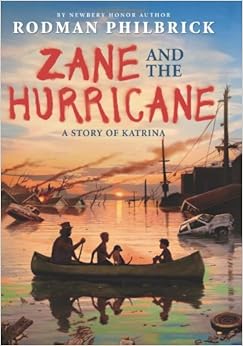
Zane and the Hurricane by Rodman Philbrick

Zane lives in New Hampshire with his mom. His father passed away. Zane knows nothing about his father's past in Louisiana, so his mother thinks it will be great for Zane to visit his great-grandmother, Miss Trissy, who turns out to be the person that raised his father.
While visiting Louisiana, Zane experiences first-hand the worst hurricane in U.S. history. Zane and Miss Trissy evacuate with the rest of New Orleans, but Zane gets separated from his group when his dog, Bandy, jumps out of the van window and Zane follows him down the highway and back into New Orleans, straight back to Miss Trissy's house.
Zane and Bandy brave Hurricane Katrina all alone in Miss Trissy's house. Flood waters rise and force them into the attic where they are stranded with no food or clean water until a boat carrying Mr. Trudy and Malvina rescues them.
They are not safe yet, and the journey continues as Zane travels through the flooded streets of New Orleans and learns about the after-effects of a massive hurricane, including death, greed, and lawlessness.
Zane and the Hurricane is one of the first children's books that I have read that so precisely describes the terrible events of Hurricane Katrina. The imagery is so vivid, and the story is heartbreaking, but it is also a story of perseverance, friendship, and loyalty.

Activities and Resources from the TxLA Bluebonnet Master List

Tuesday, April 7, 2015

ProdigyMath Game


ProdigyMath is a free online math game tied to the Common Core Standards and TEKS for Grades 1-8. Students play at their own level with classmates in a social environment that encourages them to go home and continue playing online with their friends. They collect coins by completing math activities and use those coins to adopt and train pets such as unicorns and tigers, and design their own wizard. 
The free version offers access to all learning objectives and teacher reports. There is an option for a membership for $8.95 per month or $4.99 per month with a yearly subscription. The benefits of membership are the ability to adopt additional animals and purchase wizard customizations that are otherwise locked for free users.

Teachers click here to enroll your class and start playing.

Tuesday, March 31, 2015

Sky Jumpers Book Review


Sky Jumpers by Peggy Eddleman

Did you love Hunger Games and Maze Runner? If so, Sky Jumpers might be right up your alley. It is written with a younger audience in mind, but it has all of the excitement and adventure of the others.
The story is set post-World War III. The earth is ravaged by bombs and most of the earth is uninhabitable because of a deadly gas called Bomb's Breath. Communities have had to rebuild and many have had to start from scratch, especially since the Bomb's Breath has made most types of metal unstable and some of the tools from the past are nonexistent. White Rock is known for its inventions, and the antibiotic that the local doctor makes is the reason that bandits come to town and hold everyone hostage. Hope and her friends are the community's only chance. They must find a way to get the medicine back and save the community from the bandits.


Themes of inventiveness and ingenuity, war and rebuilding, and finding your own strengths make this an excellent choice for a read aloud. 
Texas Bluebonnet Award Nominee 2015-2016

Activities and Resources from the TxLA Bluebonnet Master List

Tuesday, March 24, 2015

Finding Funds


This post is from the recent issue of TCEA TechNotes. It is too good not to share.

Finding the Funds for Technology Projects
In today's world of tightened budgets and a lean economy, teachers find it difficult to secure adequate funding for all of their classroom needs, including technology. But just because the funding isn't there doesn't mean the need for that equipment is non-existent. In fact, we would argue that the need for educational technology is greater today than it has ever been as teachers work to personalize and differentiate teaching and learning for all students.

There are still ways to secure funds for your classroom projects, and TCEA is happy to share these with you. Here are a few great resources that require a little extra work, but are well worth the effort.

Donors Choose - DonorsChoose.org is a non-profit association that allows individuals to donate directly to public school classroom projects. Founded in 2000, the organization asks teachers "What change do you want in your classroom?" A teacher answers that question by choosing exactly what items are needed and describes the project online. Once funded, the items are sent to the classroom for immediate use. 70% of projects posted are funded. Teachers can sign up here. Adopt A Classroom and ClassWish are similar websites with crowdsourcing donation programs.

Digital WishDigital Wish has everything you need to locate funding specifically for classroom technology. Just like a gift registry, teachers build a wish list of technology products for the classroom and then tell prospective donors how their support will make a difference to students. In addition, Digital Wish offers discounts on common technology for the classroom.

Grant Wrangler - Grant Wrangler is dedicated to providing information about grants available for teachers. The site divides the grants available into several different categories like STEM, Arts and Humanities, Health and Physical Education, Libraries, Technology, and more.

EdTech Team Student Device Grant - The EdTech Team provides class sets of Chromebooks or Nexus devices to schools around the world out of their training profits. So far, they have donated 20 class sets. The short online application is available here.

Corning Incorporated Foundation - The foundation supports competitive grants for instructional technology for the classroom. Currently, they provide 136 grants in education totaling about $3 million.  

Funding Factory - Get your community behind the effort to recycle inkjet and toner cartridges, cell phones, and small electronics and earn points toward technology. The program is completely free for schools and even includes the cost of shipping the items. 

Grant Watch - This website offers information on all of the latest grants available. New grants are posted every day.

District Foundations - Many school districts now have a separate foundation that provides grants to classroom teachers. Check with your central office to see if your school has one and take advantage of that opportunity.

Tuesday, March 17, 2015

Google Maps and Google Earth

Don't forget about Google Maps and Google Earth when you are studying places in the world. There are many great images, street views, and panoramas that can enhance your lessons.
For example, today Google has a link to Ireland highlights. This collection has breathtaking views of Ireland's most popular sites.


Have you ever heard of a Google Lit Trip? These are great tours of popular novels that teachers have uploaded to share. Check out the site for some great Lit Trips on books such as Bud, Not Buddy by Christopher Paul Curtis, Flotsam by David Wiesner, Number the Stars by Lois Lowry, and Riding Freedom by Pam Munoz Ryan.

Other great "places" to visit:


Want to take it a step further? You can create your own map, complete with images, videos, and text bubbles. See the tutorial.

Monday, March 16, 2015

Tournament of Books (cont.)


Thursday, February 26, 2015

Tournament of Books

Get ready for the Tournament of Books, a March Madness style book competition. Sixteen books will compete for the championship title, but only one book can win.

The sixteen most popular books this year (according to library circulation) are:

These sixteen books will compete head-to-head against other favorites, until we narrow the field down to one champion. You will notice that many of these titles are one book in a series. For this competition, any book in the series will count toward voting. The official tournament bracket will be posted outside of the cafeteria. Watch the bracket for voting dates and results.


Please share this video with your students and read the rules of competition at the bottom. The competition begins on March 6th and will end with the final battle on April 7th.


Rules of Competition:

  • Voting will take place on specified dates.
  • The link will be on the GRIS webpage.
  • You must have read both of the books that are facing off to be eligible to vote.
  • If the book is a part of a series, any book in the series will count.
  • Voting will close at 4pm each day.
  • Results will be posted the following day.
  • Look for these books in the library. 
  • The battle will begin March 3rd.


Tuesday, February 17, 2015

TCEA Takeaways Cont.

from Keri

After being at TCEA for three days, there is no way that I can just share one thing! While in Austin I learned SO much, from differentiation with technology to gaming in the classroom, it's hard to digest it all. However,  I would say that the most valuable thing I learned while I was at TCEA with 17,000 other educators was COLLABORATION! I'm not only talking about collaboration among other teachers, but also collaboration among students. Here's a little bit of what I learned...

One fascinating session I went to was "Sweet Googly Moogly" with Cathy Moak as the presenter. https://sites.google.com/a/esc6.net/sweet-googly-moogly-remix/ This site has all of the info that we learned in the session. It also has shortcut QR Codes that will take you to other places for more info. She is also on Twitter @edtechdoc. Here are some google tools that may be worth taking a look at...even if you can't implement them until next year! I've already got several of these tools on my agenda for next year!
She taught us about ALL things Google! WOW! It was information overload, but now that I have had some time to sift through the information, it's really quite worth it! I have an android phone (not apple), so I'm already a BIG Google fan. Here's the link
  1. Google Calendar-Create a class calendar and post it on your class website or on your class Facebook page. This is a great way to remind parents of class parties, project due dates, CA test dates, etc. Instructions are on her website, but the calendar is very user-friendly. It will just take some time to go in and play around with it.
  2. Google Docs-This is one of the MOST important collaboration tools! Students can collaborate by writing papers together (revising and editing), taking class notes, working on a project, etc. Google Docs can even be used as a staff. That's what Shelley uses when she sends out sign up sheets for coding, bringing treats, etc. My pod uses it in 5th grade for Marvelous Monday tutorials so that we don't have to send sticky notes around. It's a web-based document (Excel, Word, etc) that can be edited by multiple users. Just think of the collaboration that can take place with this kind of tool! Here's the link to her page on Google Docs  https://sites.google.com/a/esc6.net/sweet-googly-moogly-remix/docs
  3. Google Draw-Students can create their own Venn Diagrams or other Graphic Organizers
  4. Google Forms-You may have seen these being used by Donna when she wants us to complete a survey, but you can use them in your classroom, too! You can create a quiz, survey, quick assessment, or ticket out of the classroom.
  5. Google Presentation-Cathy's tag line on this one was, "1990 called and wants its PowerPoint back!" LOL! The students can use Google Presentation just like PowerPoint, but they can collaborate much easier. You can also use it for daily instruction, welcome work, rubrics, etc. Visit this link for examples https://sites.google.com/a/esc6.net/sweet-googly-moogly-remix/presentation

The BEST thing about all of these???? They are FREE! Just open up your Google Chrome browser and they are right there in Google apps. I've talked with Shelley about having more training on these tools. Hopefully w will soon! Until then, go play around and see what you can use. You don't have to reinvent the wheel!

There are several teachers out there already using these and MANY other tools in great ways...check out some more helpful sites here:

    • http://icafe.lcisd.org/
    • iTunes U-entire system of collections from iBooks, on-line textbooks, TASA are courses created by teachers in TX (aligned with the TEKS)
    • funela.weebly.com-Bringing ELA alive in the classroom-Using Technology to Improve Reading

    TCEA Takeaways

    TCEA Takeaways

    Where to begin? Evelyn, Keri, and I learned so much at TCEA, and we are so excited about using everything we learned. We even made the front page of the TCEA magazine. ;) All of the presenters have posted their handouts on the TCEA Convention website.


    My biggest takeaway is Twitter. I know it is old news, but I have promised myself that I will use it every year after TCEA. I always lose interest and quit tweeting. This year, I vow to use Twitter for professional development. It is a great way to create a Personal Learning Network (PLN). In the beginning, I created a Twitter account because it's what all the cool kids were doing. Now, I see the value in following fellow educators with similar goals and interests. I have found more resources through my Twitter PLN. This week I even participated in my first TweetChat. There are many scheduled chats on Twitter. You just have to find one that interests you and follow the designated hashtag at the specified time. I participated in a Texas Librarians Chat #TXLchat and we discussed what we learned at #TCEA15.
    Here are a couple of tools that will make Twitter a little easier to use:
    • TweetDeck - a website that allows you to create columns of different hashtag searches that you are following
    • HootSuite - organize all of your social media in one place and post on all sites at once
    • FlipBoard - online platform and mobile app that organizes all social media and news into one place, giving it the look and feel of a magazine. Search for particular topics or hashtags and "flip" the results into a magazine that you can follow.
    • TweetChat - enter a hashtag to begin following a chat. TweetChat organizes the discussion, allowing you to reply, retweet, or favorite. 


    If you're interested in learning more about Twitter for professional development, talk to me. My end goal is to create a hashtag for our campus discussions and learning.

    Follow me! @sstatler

    I have a lot of great sites, apps, and tools that I want to share with you, but I don't want to overload you with too much information. I plan on creating a Google Sheet to share all of our great resources. Please ask one of us if you have any questions or need some suggestions for integrating technology.  I really look forward to watching our campus use technology in new ways.

    Stay tuned for more TCEA goodies from Keri and Evelyn!

    Friday, February 13, 2015

    Quick and Easy Valentine's Day Research

    Are you looking for a quick time filler today? Mrs. Wheeler and I came up with a quick and easy research project for the iPad using Google Images and the app PixNTell.

    iTunes Store

    1. Research Valentine's Day and write 5 facts you learned.
    2. Do a Google Image search and find 5 pictures that match your facts. Save them to your camera roll.
    3. Open PixNTell and import the pictures from your camera roll.
    4. Record your voice reading the facts as you slide through the 5 pictures. 
    5. Save your movie.
    More ideas and examples at Free Technology for Teachers.

    Wednesday, February 11, 2015

    Bluebonnet Award

    And The Winner Is...


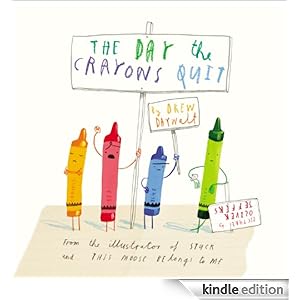
    The Day The Crayons Quit by Drew Daywalt received 29,674 votes from Texas 3rd-6th graders. It was our favorite Bluebonnet book at Glen Rose Intermediate, also.

    Watch Drew Daywalt and Oliver Jeffers acceptance speech.

    Other favorites were:


    Our students recently participated in the Bluebonnet Book Award Selection. Forty-five students were eligible to vote for their favorite book. In order to be eligible to vote, students had to read five of the twenty Bluebonnet books.

    We had a great time celebrating our hard work at the Bluebonnet Brunch.


    Links to previous newsletters

    I finally found the best way for me to share library news with you. A Blog!
    Here are all of my newsletters from the beginning of the year, all in one place in case you need to go back to one.

    Tiger Media August 14-15
    • All About Me
    • Feedly
    Tiger Media September 2014
    • Accelerated Reader
    • Evernote
    Tiger Media October 2014
    • Bluebonnet Award Nominees
    • Skitch

    Tiger Media November 2014
    • ALA Book Awards
    • What Should I Read Next?

    Tiger Media December 2014 
    • Hour of Code
    • Winter/Christmas Activities on the Web